
Changing active symbol library
#1
Changing active symbol library
Description
This tutorial shows how to switch SkyCAD's active symbol library between available libraries.
Topics covered
Symbol library, IEEE, IEC, Aus/NZ, ANSI, NEC, change library.
Main content
NOTE: This tutorial was created using an older version of SkyCAD.
Ribbon buttons' appearance and positions may differ if you're using version 1.3.25 or higher.
SkyCAD can manage multiple symbol libraries.
By default, SkyCAD has three: one named 'Symbol library' which manages IEEE symbols, one named 'IEC symbol library', which manages IEC symbols, and one named 'Aus/NZ symbol library', which manages Australian and New Zealand symbols.
If all your projects don't use the same standard, or you want to change your library, you will need to change the active library.
Here's how you can do that:
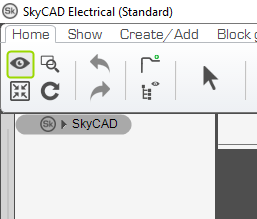
First make sure all projects are closed, and only 'SkyCAD' is displayed in the tree view:
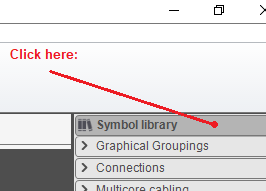
Click at the top of the symbol library section. This action will 'select' the active library:
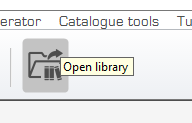
Go to the 'Home' tab and select 'Open library':
Select the library you want to use, and click OK:

At this point, the selected library has become the active library and will be indicated as such at the top of your symbol library. Any new project you create will use this library.
NOTE: If you open an older project created with another library, it will activate that library automatically, as projects are "tied" to the library they were created with.