
#1
How to back-up your work
Description
This tutorial explains how to make a back-up of your SkyCAD environment, which by default, should contain all the work you've done in SkyCAD.
Topics Covered
Backup, environment backup, environment folder.
Main Content
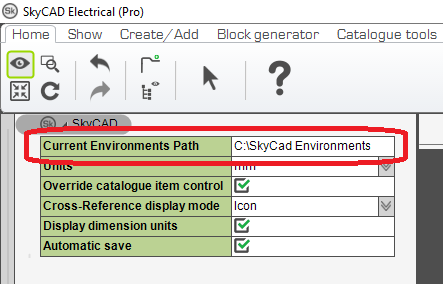
To know where your SkyCAD environment folder is located (which essentially contains all projects, symbols, catalogue parts and settings), simply expand SkyCAD's properties in the tree view. The value entered in the setting 'Current Environments Path' is the answer you are looking for (by default in the folder C:\SkyCAD Environments.)
Using Windows file explorer, simply make a ZIP file of that folder (right-click/Send to/Compressed file), and copy the file where you wish to store your backups!
Important: backups should be stored outside of the SkyCAD Environments sub-directory.