Exporting Projects to DWG/DXF
#1
Exporting Projects to DWG/DXF
Description
This tutorial explains how you can export a SkyCAD project to DWG or DXF files. All sheets of the project will get exported. The method to use is the same for DWG or DXF export.
Topics covered
Export to DWG, export to DXF.
Main content
NOTE: This tutorial was created using an older version of SkyCAD.
Ribbon buttons' appearance and positions may differ if you're using version 1.3.25 or higher.
Start by making sure the project you wish to export is open and selected in the tree view:

Click on the Export (Import/Export if you have V1.3.25 or higher) tab and select Export project to DWG files or Export project to DXF files:

If your project has several sheets, a progress window should be displayed during the export process:

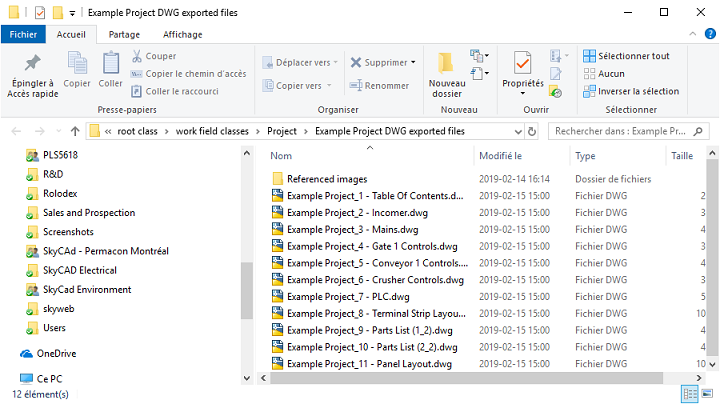
Once the process is complete, a message is displayed, and the folder where your DWG or DXF files were created will be opened in Windows Explorer: