
Creating new sheet sizes
#1
Creating new sheet sizes
Description
This tutorial covers how to create new sheet sizes.
Topics Covered
New sheet size, create sheet, create page, page size
Main Content
When adding a sheet to a project, you will probably find the sheet size you are looking for.
If you do not find the sheet size you want, it is easy to create your own custom sheet size:
- Select a project in the tree view, go to the Create/Add tab and select New Sheet. A window will pop up
- With Standard Environment selected in the dialog box, go to the Create/Add tab and select Create new sheet size
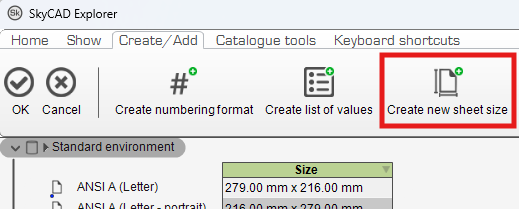
- Fill out the Sheet size name, Width and Height properties then click OK
- Your new sheet size will be added to the list of available sheet sizes, though you may have to scroll down in the list to see it
Log in to post comments