
Link terminal symbols to terminals
#1
Link terminal symbols to terminals
Description
This tutorial explains how to link terminal symbols to terminals already existing in terminal strips, which may be needed if you did the panel layout before the schematics or added terminals to a terminal strip without using terminal symbols.
Topics covered
Link symbol to terminal, link symbol to TCPB.
Main content

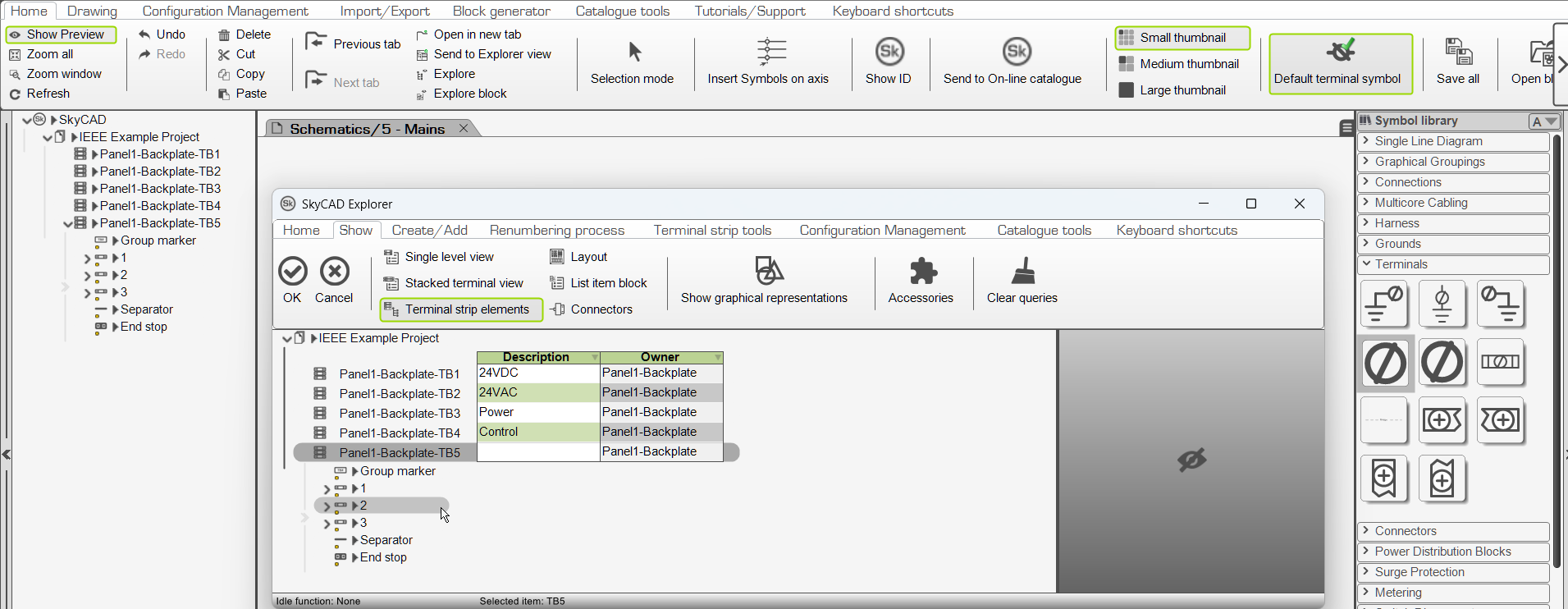
To link a circular terminal symbol (above) to a terminal already in a terminal strip:
- Hold Shift while inserting the terminal symbol. A new window will appear
- Select the Terminal strip (e.g. TB5)
- Go to Show tab and select Single level view or Stacked terminal view
- Select the terminal or junction you wish to represent with a symbol and click OK

To link a Terminal Connection Point Block TCPB (above) to a terminal already in a terminal strip, follow “Method 2” of the Terminal connection point blocks tutorial.
Related tutorials
Log in to post comments