Ok, we were able to reproduce the error when placing our environment on a USB drive, just like in your case.
The latest version of SkyCAD indeed changed with regards to extracting packages, and that bviously created a new problem for users in your situation. We will quickly fix that problem, but in the meantime we suggest you work on your C:\ drive and copy the entire environment on the USB drive when your done.

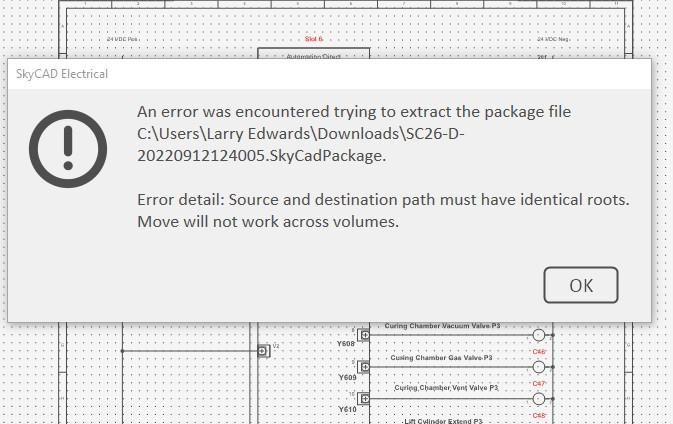
#2
Hmmm....
Thanks for posting on the forum.
What is the path to your SkyCAD Current environment path? (Expand properties of the 'SkyCAD' item in the main tree view to see it.)
#3
E:\SkyCAD Environments. (1
E:\SkyCAD Environments. (1 TB ) drive usb.
#4
Try this.
Try placing the package file in that same folder and open it from there.
Let us know if it works out.
#5
Placed it in the standard
Placed it in the standard environment folder and the Skycad Environments folder, got the same error from both.
#6
Hmmm....
This is strange. It might be because you are using a USB drive, but we're not sure.
Do you know if you get this error for any part you try to import, or is it just this one?
#7
I just tryed the first part
I just tryed the first part in the catalogue. Got the same error?
#8
What changed?
Last week (with the same setup) I downloaded 3 or 4 parts and they imported with no trouble. Now to day All I get is this error.
#9
Hmmm....
We're trying to figure this out.
Please allow us a bit of time to understand what's going on.
Thanks for your patience.
#10
Ok.
Ok, we were able to reproduce the error when placing our environment on a USB drive, just like in your case.
The latest version of SkyCAD indeed changed with regards to extracting packages, and that bviously created a new problem for users in your situation. We will quickly fix that problem, but in the meantime we suggest you work on your C:\ drive and copy the entire environment on the USB drive when your done.
#11
Actually...
It turns out the fix was easy to apply and to test as well.
So we have packaged a new version. You can download it now.